FOR UK MANAGING AGENTS
Service charge budgets, without the scattered spreadsheets.
Upload the budget spreadsheet you already use, check the import, then build, apportion and approve each building's budget in one place.
The product
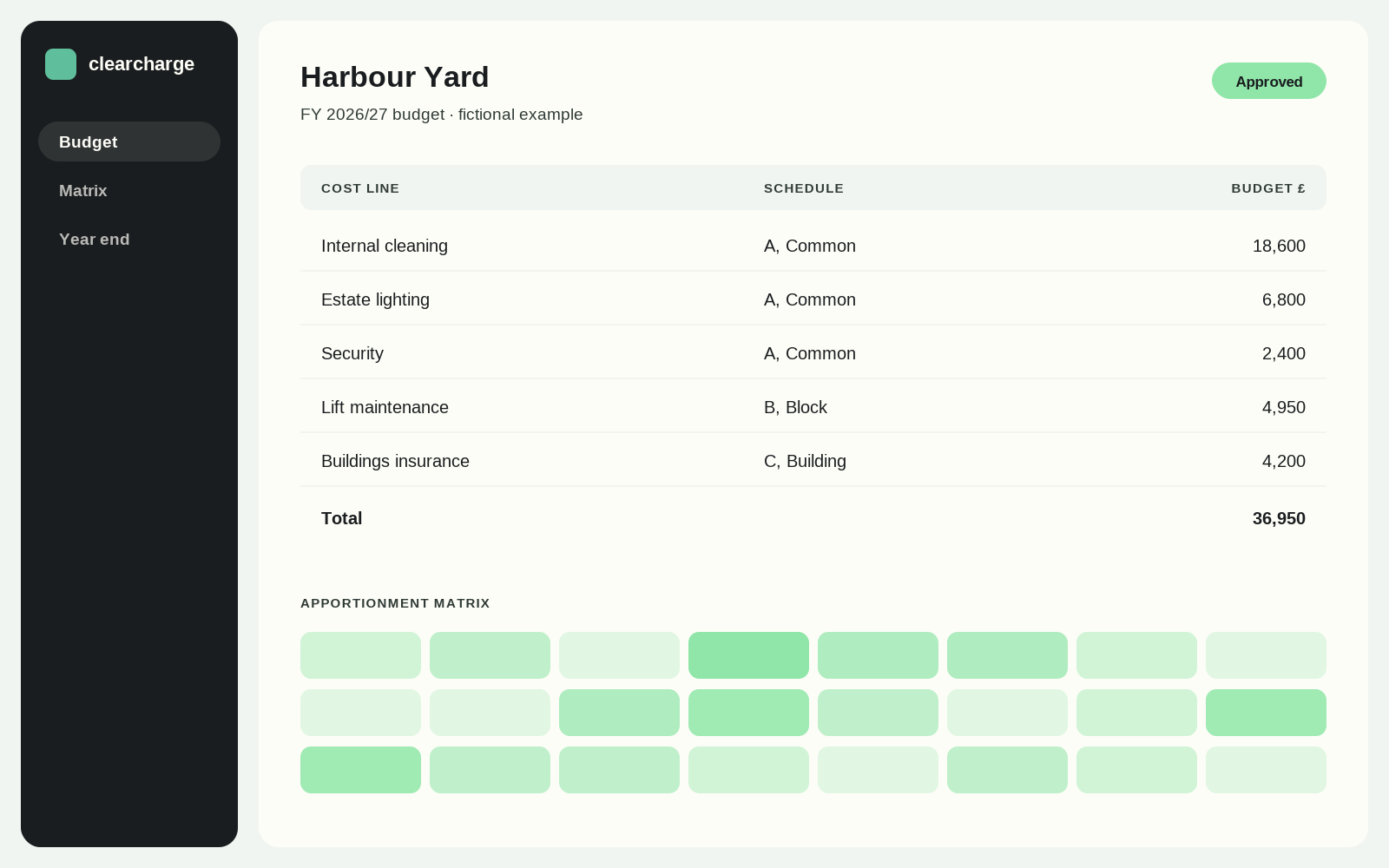
The budget comes out of the spreadsheet and into one record.
clearcharge is service charge budgeting for UK commercial managing agents, made for firms running roughly 5 to 20 buildings. Each step starts from the one before it, so nothing is retyped along the way.
- Import confirmed
- Budget approved
- Occupier packs produced
Illustrative screen. Harbour Yard and its figures are a fictional example.
The budget cycle
One budget cycle, start to finish.
Five steps, in the order you already work. Here is what each one looks like in clearcharge.
-
Step 1
Import
Upload the budget spreadsheet you already have, as an .xlsx or .csv file. clearcharge reads it and takes you through what it found: the building, tenants, schedules, cost lines and apportionment. Anything it is unsure of is flagged for you to fix, and nothing is saved until you approve.
Harbour Yard budget 2026-27Import confirmed -
Step 2
Build
Build the budget line by line for each building and service charge year. Cost lines sit against a schedule and use one standard list of cost headings across every building, with last year's figure alongside each line. The budget is clearly marked as draft until it is approved.
Internal cleaning18,600Lift maintenance4,950Buildings insurance4,200 -
Step 3
Apportion
Each schedule is shared by floor area or by fixed percentages. When an occupier changes during the year, shares are worked out by the day and void days fall to the landlord. The apportionment matrix, the on-account demands and the occupier figures all come from the same numbers, so they cannot drift apart.
Unit 142.5%Unit 233.0%Unit 324.5% -
Step 4
Approve
Send the draft for approval in clearcharge, not as an attachment. An admin approves it or sends it back with a reason, the approval and its date are recorded, and everyone is looking at the same version.
DraftApproved -
Step 5
Report
Produce an occupier pack for each occupier from the approved budget, as a PDF or an Excel workbook, without rebuilding it by hand. At year end, tag invoices to budget lines, set actual costs against the budget line by line and issue a statement to each occupier.
Occupier pack, Occupier 1ProducedOccupier pack, Occupier 2ProducedYear end reconciliation
How it works
Start with the spreadsheet you already have.
You do not rebuild your budgets from scratch. Your existing spreadsheet goes in, and an approved budget and its outputs come out.
-
Your spreadsheet
The budget file you use today, uploaded as it is.
-
clearcharge
Check the import, then build, apportion and approve.
-
Approved budget and outputs
One approved budget per building, with what follows from it.
- Occupier packs
- Year end reconciliation
Who it is for
For everyone who touches the budget.
Build the budget once, not three times.
Start from the spreadsheet you already have. Upload it, check the import and carry on from there. The budget, the apportionment and the occupier packs all come from the same record, so a change to one cost line does not mean reworking three files.
- Your existing budget spreadsheet is the starting point
- Cost lines by schedule, with a clear draft or approved status
- An occupier pack for each occupier from the approved budget
Figures that agree with each other.
Schedules and percentages are held against each unit, and the occupier figures are worked from the budget itself. At year end, actual costs are set against the budget line by line, ready for the statement.
- One set of apportionment percentages per building
- Year end reconciliation against the approved budget
- On-account demands by month or quarter, with VAT set per lease
- Reserve and sinking funds held separately
Know where every budget stands.
Approvals happen in clearcharge, not in email threads. Each budget is either draft or approved, and when a figure is questioned later there is one record to go back to.
- Budgets are sent for approval in the app
- The same budget format across your property managers
- One list of every budget across your buildings, with its status
FAQ
Practical questions.
What is clearcharge?
clearcharge is service charge budgeting software from Nectar Property. It is built for UK commercial managing agents and covers the budget, apportionment, on-account demands, occupier packs and year-end reconciliation.
Who is clearcharge for?
Property managers at managing agent firms who run service charge budgets for multi-let commercial buildings in the UK.
Can I use my existing budget spreadsheet?
Yes. You upload the budget spreadsheet you already use, check what clearcharge has read from it, and confirm the import before it becomes a budget. It takes .xlsx and .csv files; an older .xls file needs saving as .xlsx first.
What if the import gets something wrong?
Nothing is used until you have checked and confirmed it. Each step of the check shows what needs fixing: you can correct a cell, reassign a column, confirm a suggested cost heading or leave a row out. Figures the import did not use are flagged, and the sheet's own totals are checked against its lines.
How does apportionment work?
Units are assigned to schedules, and each schedule is shared by floor area or by fixed percentages. When an occupier changes during the year, shares are worked out by the day and void days fall to the landlord. Caps and concessions are set per lease.
How does clearcharge relate to the RICS service charge standard?
clearcharge covers the documents the RICS service charge standard (2nd edition) asks for: a budget with commentary, an apportionment matrix, year-end accounts and a statement for each occupier. It tracks when each budget must be issued and when the accounts are due, and records a reason if either is late. Cost lines use clearcharge's own standard headings. The lease still comes first, and professional judgement stays with the property manager.
How do approvals work?
An admin or manager sends a draft budget for approval in clearcharge, and an admin approves it or sends it back with a reason. The person who sent it cannot approve it, unless they are the firm's only admin. Each approval and its date is recorded.
Is the data shown on this page real?
No. Harbour Yard and the figures shown are a fictional example.
How do I sign in?
Sign in at app.nectarproperty.co.uk. If your firm does not have an account yet, choose Contact Nectar Property on the sign-in page and we will set one up.
See a budget go from spreadsheet to approved.
Sign in to get started. If your firm does not have an account yet, contact us from the sign-in page.